

When a growing office finally outgrows its all-in-one router, the first purpose-built device most teams buy is a network firewall. The trouble is that the headline number on the sales sheet rarely describes the network anyone actually runs. A box labelled "5 Gbps" is measured under conditions a real branch, campus or data center will never reproduce, so the appliance that looked generous on paper quietly becomes the bottleneck six months after installation. This guide walks through the specs that decide real performance - forwarding capacity, concurrent sessions, new connections per second, interface layout and inspection depth - and shows how to size the appliance for the traffic you will have in three years rather than the traffic you have today.

Why a Network Firewall Is a Capacity Decision, Not Only a Security Decision
Most buying conversations start with features: intrusion prevention, application control, VPN tunnels, URL filtering. Every one of those features consumes processing power, and each additional inspection step lowers the rate at which a network firewall can forward packets. The effect is multiplicative rather than additive. Enable deep packet inspection, TLS decryption and application identification together, and a device rated for multi-gigabit forwarding may deliver only a modest fraction of that figure once real sessions flow through it.
That is why experienced buyers ask for a matrix instead of a single number. A credible network firewall datasheet quotes several values side by side: raw forwarding, firewall inspection with large packets, threat prevention enabled, and encrypted VPN throughput. The gap between the first figure and the last tells you how much genuine headroom the platform has when the security policy is fully loaded.
Throughput: The Several Numbers Behind One Figure
Throughput claims are not dishonest, they are conditional. Vendors measure them with a chosen packet size, a chosen rule set and a chosen traffic mix. Three conditions matter most when you compare a network firewall against its competitors.
Packet size. Vendors usually quote the largest packet the standard test allows, commonly 1518 bytes. Real enterprise traffic is a blend of small acknowledgements, mid-sized web responses and large file transfers. A firewall handling a high volume of small packets runs out of packet-per-second budget long before it runs out of bandwidth budget.
Enabled features. A firewall-only figure assumes no threat inspection. Every signature set you switch on costs cycles. When a vendor quotes threat-protected throughput, check whether TLS inspection was included, because decrypting and re-encrypting sessions is by far the heaviest task a network firewall performs.
Rule count and policy complexity. Long access lists, NAT translations and per-application policies all add lookup work. A firewall carrying two hundred rules behaves differently from the same hardware carrying five thousand.
Concurrent Sessions and New Connections per Second
Concurrent sessions describe how many flows a network firewall can hold open at once. Every browser tab, every API polling loop, every video stream and every database connection occupies an entry in the session table. Modern workloads inflate this figure fast, because a single web application may open dozens of parallel connections.
New connections per second, often abbreviated CPS, measures how quickly the device can create and tear down entries. This is the metric that collapses under a scan, a synchronization storm or a load test. A device with a large session table but a modest connection rate will still drop traffic when a client retries aggressively.
Session timers matter as much as raw capacity. Aggressive ageing keeps the session table tidy but can break long-lived sessions such as database links or industrial control channels. Generous timers preserve those sessions but let idle entries accumulate. Size the session table so that peak concurrency uses no more than about half its capacity, and tune timers per application rather than globally.
Interfaces, Uplinks and High Availability
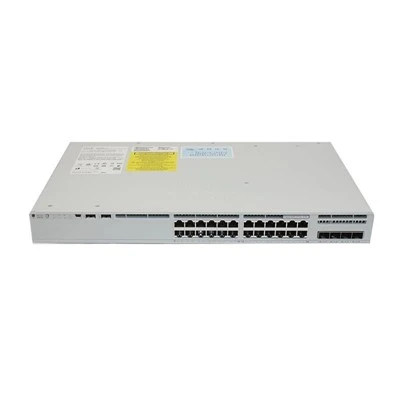
Port layout determines whether a network firewall fits the network you already have. Count the interfaces you need for WAN, LAN, demilitarized zone, management and future fiber uplinks, then add at least two spare ports. Mixed copper and fiber SFP ports are more flexible than a fixed copper-only layout, and Cisco-compatible transceiver support keeps the platform cost predictable when you extend to a new building.
Redundancy deserves the same attention as throughput. Two network firewall units in an active-passive pair protect against hardware failure, but the pair must synchronize sessions, or every failover will reset user connections. Check that state synchronization is included rather than licensed as an extra, and verify that the failover link has enough bandwidth to carry the full session table.
For internet-facing deployments, plan a bypass path or a manual break-glass procedure so that a single firewall malfunction does not take the whole site offline. Availability is part of firewall performance, because a fast device that is unavailable forwards nothing at all.
Features That Shape Real Sizing
Virtual private networking, intrusion prevention, web filtering and application control are the four features most often responsible for a surprise shortfall. Estimate their combined cost before you buy.
| Deployment scenario | Typical users | Suggested network firewall profile |
|---|---|---|
| Small branch office | 20 – 50 | 1 Gbps firewall throughput, 100 Mbps inspected, 1 – 2 Gbps VPN |
| Mid-size office | 100 – 300 | 2 – 4 Gbps firewall throughput, 500 Mbps inspected, 2 Gbps VPN |
| Campus core | 500 – 2000 | 10 Gbps firewall throughput, 2 – 4 Gbps inspected, 10 Gbps SFP+ uplinks |
| Data center edge | 2000 + | 20 Gbps and above, hardware acceleration, dedicated management plane |
Read the table as a starting point, not a specification. Your own traffic mix, session count and policy depth will push the requirement up or down, and a platform bought for the wrong row will either throttle users or waste budget.
Common Mistakes When Sizing a Network Firewall
Buying on firewall-only throughput. The most frequent error is comparing the largest number on each datasheet. Two network firewall platforms with identical forwarding rates can differ by a factor of four once threat inspection is enabled.
Ignoring TLS inspection cost. Encrypted traffic now dominates most enterprise links. If you plan to decrypt, size the network firewall for decryption, not for plain forwarding.
Forgetting the session table. Teams check bandwidth and overlook concurrency, then wonder why the network firewall reports table exhaustion during a busy Monday morning.
Treating the failure pair as free. High availability doubles the hardware but also consumes a link and adds configuration complexity. Plan both.
Leaving no room to grow. A firewall that runs at eighty percent utilisation on day one has no capacity for a new site, a new cloud link or a new inspection policy.
Deployment Checklist
Use this list before you sign a purchase order.
- Confirm the traffic mix, including the share of small packets.
- Record peak concurrent sessions from your existing network firewall or router.
- Decide which inspection features will run in the first year, and which in year three.
- Verify quoted throughput values and ask which features were enabled during testing.
- Count interfaces, including management and future fiber uplinks.
- Confirm Cisco-compatible transceiver support and the availability of spare optics.
- Test stateful failover in a lab, not for the first time during an outage.
- Document a bypass or break-glass procedure for maintenance windows.
- Schedule a review of network firewall rules to retire stale policies each quarter.
FAQ
Q1: Is firewall throughput the same as internet bandwidth?
No. Firewall throughput describes how fast the device forwards traffic. Internet bandwidth is what your service provider delivers. A network firewall must exceed your WAN speed with headroom, because internal east-west traffic and VPN tunnels also pass through it.
Q2: How many concurrent sessions do I need?
Measure peak sessions on your current gateway and multiply by three. Browser-heavy and cloud-heavy environments grow session counts faster than user counts, so a site with 200 users can easily sustain 100,000 concurrent sessions.
Q3: Can a network firewall replace a router?
Many models route, network address translate and terminate VPN tunnels, so a single firewall can serve a small branch alone. Larger sites usually keep dedicated routers or layer 3 switches for core routing and let the network firewall concentrate on policy and inspection.
Q4: Does more throughput always mean better performance?
No. Latency, jitter and connection setup rate matter as much as raw capacity. A device with lower bandwidth but a higher connection rate often feels faster for interactive applications.
Q5: Should I enable TLS inspection on every session?
Selectively. Decrypting everything is expensive and raises privacy questions. Start with categories that carry real risk, exempt trusted internal services, and monitor the network firewall CPU load as you expand coverage.
Q6: How often should firewall rules be reviewed?
A quarterly review is a reasonable baseline. Remove rules that reference retired servers, expired projects or unnamed objects, because a smaller rule set improves both security and forwarding speed.
Q7: Which module should I buy first, VPN or threat prevention?
Buy the one your business needs on day one. Remote work usually makes VPN the first requirement, while regulated or internet-exposed sites need intrusion prevention immediately. Either way, confirm the network firewall can run both without dropping to an unusable rate.
Conclusion
Choosing a network firewall is an exercise in reading between the numbers. Throughput, concurrent sessions, connection rate, interface count and inspection depth together define what the device can really do, and only your own traffic profile can tell you which of those limits binds first. Start from measured data, leave at least fifty percent headroom, and insist on test conditions before you accept a figure.
AITI Tech Limited supplies Cisco-compatible network firewall, switch and router platforms with the interface options, redundancy support and technical documentation that enterprise deployments require. If you need help mapping your traffic profile to the right configuration, our engineers will review your topology and recommend a network firewall specification that fits both your security policy and your budget.