

AITI / NETWORK EQUIPMENT BUYING GUIDE
Why Your 48-Port PoE Switch May Not Power All 48 Devices
Look beyond the port count. Check the power budget, compare the exact Cisco configuration, and build a purchasing specification your supplier can verify.
Quick answer: A 48-port PoE switch can power all 48 devices only when their combined allocations fit its total PoE budget and each port supports its attached device. Port count alone cannot establish that.
A 48-port PoE switch gives you 48 places to connect equipment. It does not automatically give you enough power to run 48 devices at their maximum requirements. That distinction can be expensive when a project includes wireless access points, cameras, phones and other powered equipment.
The buying decision starts with three separate questions: how many ports you need, how much power each endpoint requires, and how much power the switch can allocate across the entire installation. A quotation that answers only the first question leaves the most important power calculation unfinished.
This guide explains how to calculate a PoE switch power budget, compare Cisco configurations and prepare a purchasing specification that a supplier can check. The worked example is a planning illustration, not a report from an AITI customer installation.
1. PoE Port Count and Available Power Describe Different Limits
Port count tells you how many Ethernet connections are available. The per-port rating tells you the power a compatible port can supply. The total PoE budget is the shared capacity available to powered devices. All three limits apply at the same time.
Think of a building with many electrical outlets sharing one supply. Adding sockets does not increase the incoming electrical capacity. The same purchasing mistake happens when the phrase "48 PoE ports" is treated as a promise that every connected device can draw the port's maximum rating simultaneously.
Before selecting a 48-port PoE switch for IP cameras, list the actual camera models. A fixed camera without a heater has a different demand profile from a motorized camera with additional functions. Do the same for access points: a device that starts successfully may still disable features when its negotiated power is inadequate.
Do not use the advertised wattage of the internal power supply as the endpoint budget. The switch itself consumes electricity, and the manufacturer specifies the usable allocation separately. Compare the field explicitly identified as available PoE power or power dedicated to PoE.
2. Calculate the PoE Load Before Comparing Prices
Build a schedule with one row for each endpoint type. Record quantity, exact model, required power standard, maximum operating mode and the power figure you are using. Distinguish power required at the device from power allocated at the switch; otherwise cable losses can disappear from the calculation.
The starting calculation is simple: add the switch-side allocations for every device. Then add an allowance for the expansion or operating uncertainty that your project actually needs. The allowance is a design choice, rather than a universal requirement imposed by a PoE standard.
For an illustrative office, assume switch-side planning allocations of 20 W for each of 12 access points, 12 W for each of 16 cameras, and 7 W for each of eight phones. These are hypothetical allowances, not specifications for any named product. They produce a combined planning load of 488 W across 36 devices.
Here is the PoE planning worksheet for that example. Each wattage below is already defined at the switch side, rather than being a device-side figure with cable loss left unaccounted for.
| Endpoint Group | Quantity | Assumed Switch-Side Allocation | Group Allocation |
|---|---|---|---|
| Wireless access points | 12 | 20 W per device | 240 W |
| IP cameras | 16 | 12 W per device | 192 W |
| IP phones | 8 | 7 W per device | 56 W |
| Total | 36 | - | 488 W |
| Illustrative 20% project allowance | - | - | 97.6 W |
| Illustrative PoE planning target | - | - | 585.6 W |
These numbers show the method; replace them with verified allocations for your equipment. Do not add cable loss twice when the chosen planning figures already account for it. If you only have device-side requirements, have the designer establish the corresponding switch-side allowances before selecting the PoE switch.
If the project team chooses an additional 20% allowance, the planning target becomes 585.6 W. A switch with a 375 W budget would not meet that target. A 740 W configuration would clear the arithmetic check, but per-port compatibility, allocation behavior and installation conditions would still need verification.
For a PoE budget calculation for wireless access points, do not substitute a quiet afternoon's measured consumption for the manufacturer's required supply. Radio settings, attached accessories and startup behavior can change demand. Measurements help validate a design; one low reading does not establish its worst case.
3. Compare the Exact Cisco PoE Switch Configuration
Cisco's Catalyst 1300 documentation lists both 375 W and 740 W options among its 48-port PoE models. For example, C1300-48P-4X has a 375 W allocation, while C1300-48FP-4X has 740 W. Similar model names therefore do not establish equivalent power capacity. [1]
The following comparison uses Cisco's published specifications, rather than assuming that a similar product name means the same PoE budget.
| Cisco Model | PoE Access Ports | Total PoE Budget | Uplinks |
|---|---|---|---|
| C1300-48P-4G | 48 | 375 W | 4 × Gigabit SFP |
| C1300-48FP-4G | 48 | 740 W | 4 × Gigabit SFP |
| C1300-48P-4X | 48 | 375 W | 4 × 10 Gigabit SFP+ |
| C1300-48FP-4X | 48 | 740 W | 4 × 10 Gigabit SFP+ |
For the 488 W example, the lower-budget configurations fail the initial capacity check even though 12 access ports remain unused. The 740 W options leave room against the illustrative target. That comparison does not select the uplinks for you: the required backbone speed and installed optics still matter.
The same principle applies when comparing Cisco Catalyst 1300 PoE budget options with Catalyst 9200L configurations. Cisco lists C9200L-24P-4G with 370 W using one PWR-C5-600WAC supply, and 740 W in the table for an additional matching supply, subject to port-count and per-port limits. [2]
A configuration detail worth checking: Treat the 740 W table entry as supply capacity, not a way to bypass the 24-port limit. Twenty-four 30 W allocations total 720 W; Cisco explicitly notes that available output remains limited by port number and rating.
The useful purchasing question is therefore not simply "Does this model support PoE?" Ask which power supplies are physically included, what allocation that combination provides, and whether your order includes any required accessories. Put the configuration in the quotation rather than relying on a family-level brochure.
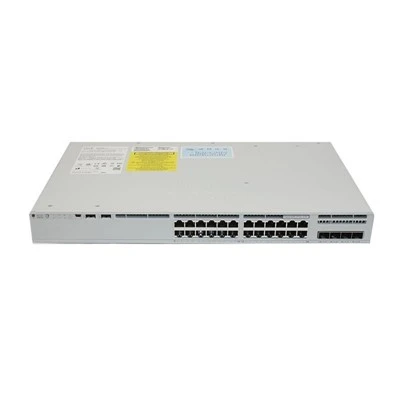
AITI lists the C1300-48P-4X and C9200L-24P-4G on its website. A product listing is a starting point for an inquiry, not confirmation that a particular quantity, hardware condition or delivery date is currently available. Ask for those details against your order.
4. A Larger PoE Budget Does Not Increase Every Port's Rating
A switch can have spare capacity overall and still be unsuitable for one demanding endpoint. If that endpoint needs a power standard or per-port allocation the selected interface does not support, unused capacity elsewhere will not solve the mismatch.
This matters when choosing a PoE switch for Wi-Fi access points that have several operating modes. Check the endpoint documentation for the mode required by your project. Then compare the required standard and allocation with the proposed switch port. A successful Ethernet link alone does not prove that every endpoint function is enabled.
Also separate standards-based PoE from equipment that uses passive power arrangements. Do not connect a device on the assumption that the letters "PoE" make every voltage and pin arrangement interchangeable. Confirm compatibility from both manufacturers before commissioning the connection.
The practical specification should name the endpoint and the required operating mode. "Support our wireless AP" is difficult to verify. A list containing the exact AP model, quantity, radio configuration and required supply gives the technical team something concrete to check.
5. Plan PoE Capacity for an Outage as Well as Normal Operation
Two power supplies can serve different design goals. A project may use additional capacity to support more endpoints, or reserve capacity so that essential equipment remains powered after a supply fails. Those goals should be assessed separately.
Suppose your installation depends on combined supply capacity to carry its normal load. The presence of two supplies does not by itself prove that the full endpoint load will survive losing one. Ask for the remaining PoE capacity in the intended failure condition and compare it with the devices that must stay online.
Set priorities for essential endpoints where the platform supports this function. A reception phone, access-control device and guest access point may have different operational importance. Write those priorities into the commissioning plan so that a shortage produces the intended response rather than an unexpected service interruption.
Include the upstream electrical supply in the review. A switch with redundant supplies connected to one unprotected source still depends on that source. UPS sizing, runtime, circuit capacity and rack cooling belong in the installation plan, even though they are not the same figure as the PoE budget.
6. PoE Troubleshooting: Follow the Evidence
Start with the switch's PoE power information. Compare the available PoE budget, allocated power and measured draw. An endpoint may reserve more power than its present consumption, so subtracting measured watts from the headline budget can give a misleading picture of what remains available.
Next check the affected port. Look for disabled power, an administrative limit, a detected fault or a negotiation issue. Use the commands and interface documented for that model and software version; a procedure for one Cisco family should not be assumed to work unchanged on another.
Then test the PoE connection with a known compatible endpoint and a suitable cable. Keep a record of what changes. If the problem follows the cable, the investigation differs from a problem that remains on one port or appears only after several additional devices are connected.
Finally, repeat the test under the operating conditions that triggered the fault. Cameras that change modes after dark and access points tested only without clients may behave differently in service. For PoE switch troubleshooting, the timing of the failure can be as useful as the error message.
7. Write a PoE Switch Quotation Request That Prevents Substitutions
Send the supplier your endpoint schedule, required port count, uplink requirement and destination country. Include the planned expansion, installation environment and whether the design must retain full or partial operation after a supply failure. These details narrow the comparison to configurations that can serve the same job.
Ask the PoE switch quotation to state the exact chassis part number, included supply part numbers, usable PoE allocation, hardware condition and included accessories. For platforms with software entitlements, identify what is included and what must be arranged separately. Avoid accepting "equivalent model" without a written comparison.
Commercial details deserve the same precision. Request quantity confirmation, shipment terms, packaging information and the proposed process for checking goods before dispatch. A low unit price is less useful when power supplies, cables or other required items appear as unexpected extras later.
For repeat purchases, retain the approved specification and the configuration evidence from the sample order. Use that record to check the next shipment rather than assuming that a similar description guarantees identical contents. The aim is repeatability across deliveries, not simply a successful first test.
Frequently Asked Questions
Can a 48-port PoE switch supply 30 W to every port?
Only if both the per-port capability and total available allocation support that operating condition. Forty-eight allocations of 30 W total 1,440 W. The calculation alone does not confirm that a particular switch, supply configuration or endpoint combination supports it.
Is a 740 W PoE budget enough for 48 cameras?
It depends on the camera models and their required switch-side allocations. Forty-eight illustrative allocations of 12 W total 576 W before any project allowance. That example is arithmetic, not a recommendation for cameras with unspecified heaters, motors or other accessories.
Why does a PoE device connect but run with limited functions?
Check whether it is receiving the supply required for its intended operating mode. A device may maintain a connection while restricting some functions. Confirm the negotiated power, endpoint documentation and switch capability before concluding that the hardware is defective.
Can I use the switch's idle measurements to size the project?
Idle readings are useful for observation but do not replace maximum-demand planning. Use the endpoint requirements and the switch's allocation method, then validate the result in realistic operating conditions. Keep measured consumption and reserved capacity separate in the report.
Will a second supply make my PoE installation fully redundant?
Not automatically. Establish how much endpoint power remains available after one supply fails and compare it with the required surviving load. Also review the incoming electrical sources. Redundant hardware and sufficient remaining capacity are related but separate checks.
What should I send AITI for a configuration check?
Send device models and quantities, required port and uplink counts, supply redundancy requirements, installation location and desired shipment quantity. Include an existing switch part number if you are matching a deployed network. Those details help make the quotation more specific.
What is the difference between PSE power and PD power?
PSE means power sourcing equipment, such as the switch. PD means powered device, such as a camera. Cable loss means a switch-side PoE allocation and a device-side power requirement are not interchangeable. Keep the measurement point consistent throughout your PoE budget worksheet.
Do all Cisco PoE switches use the same software and accessories?
No. Check the exact platform, configuration and current documentation. For an existing network, record the required management functions, uplinks and supply arrangement before accepting a substitute. A suitable PoE budget alone does not establish that two switches are operationally interchangeable.
PLAN YOUR NEXT NETWORK PURCHASE
Send Your Device List for a PoE Switch Quotation
Before you order, send AITI your endpoint list and the switch models you are considering. Include the device part numbers and quantities, required PoE operating modes, uplink speed, installation country and the load that must remain powered after a supply failure.
Use this subject line: PoE switch quotation - device list and power budget check. Attach a spreadsheet if you have one. Ask the quotation to identify the proposed chassis, included supplies, available PoE budget, accessories, current quantity availability and shipment terms. This gives you a configuration to compare against your project requirements.
Requirements and quotations: require@hkaiti.com
WhatsApp: +86 18126448810
Technical support: support@hkaiti.com
Browse AITI's Cisco Switch Range →
Availability, delivery, included accessories and applicable warranty or support arrangements should be confirmed in the written quotation.
References and Product Resources
- Cisco - Catalyst 1300 and 1300X Series Switches Data Sheet . See the PoE allocation and ordering tables.
- Cisco - Catalyst 9200 Series Switches Data Sheet . See Table 4 and its footnotes.
- AITI - Cisco Catalyst C1300-48P-4X .
- AITI - Cisco Catalyst C9200L-24P-4G .
- AITI - Contact Details and Quotation Enquiries .