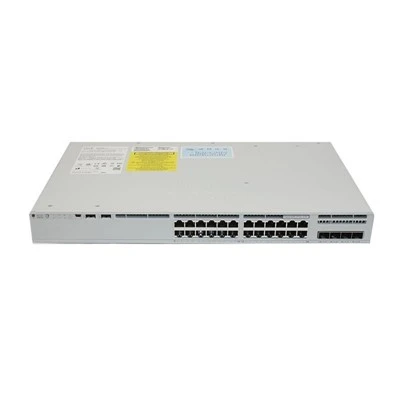



Decide which equipment owns routing, then count ports, uplinks and power by exact SKU.
A small office choosing between Cisco Catalyst 1200 and 1300 should begin at the point where traffic leaves each network. If an existing firewall will keep acting as the gateway for every office network, the access switch may only need the documented switching features. If the refresh is meant to move routing or network policy onto the switch, ask the network owner to name the required functions before the buyer compares chassis prices. That is the useful starting point for a Catalyst 1200 vs 1300 decision.
AITI lists Cisco switches, including Catalyst configurations suited for different office requirements. Cisco describes the 1200 as a managed family with Layer 2 features and static routing capabilities. The 1300 data sheet describes a broader range of Layer 3 functions. Check the actual supported features and limitations by model and software version. In a small office, a simpler design can be a sound choice when it satisfies the approved topology and the people supporting it.
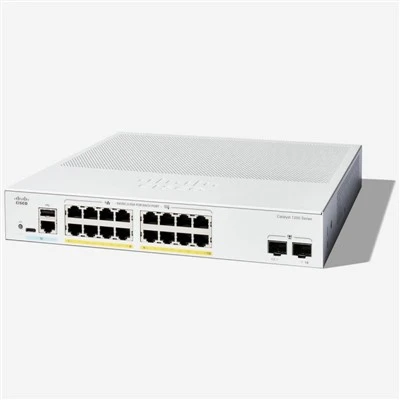
Identify the equipment that owns each gateway
Take one page from the current office network and mark staff, guest, voice and other required networks. Name where each default gateway lives, where traffic between networks is allowed and who administers those policies. If the plan is to keep the firewall in that role, record that decision before a seller proposes a different switch. Ask the network owner which tasks must remain on the existing equipment and which are intentionally changing.
Where routing on the switch is part of the plan, identify the actual route type, address requirements and policy expectations. A term such as Layer 3 is broad. The same product family label does not establish that every desired routing protocol, scale or implementation is supported. Request the exact Cisco data for the intended SKU and software before treating a requirement as satisfied. Record any operational conditions that are material to the change.
The support question is equally practical. Decide who will keep the configuration, troubleshoot ordinary port and gateway issues and authorize an upgrade. An outsourced administrator may need access and a defined handover, while a local team may prefer familiar interfaces and documented recovery. Include that operating model in the purchase review. Someone will need to own the new setup after the installation contractor leaves.
Compare requirements instead of counting features
| Decision | What to record for the office | Evidence before approval |
|---|---|---|
| Existing routing | Gateways, firewall responsibilities and internal traffic requirements | Current and proposed approved network drawings |
| Switch routing | Exact required features and acceptable limits | Official evidence for the offered SKU and software |
| Endpoint supply | Data ports, PoE demand and supported cabling | Actual endpoint list and exact model description |
| Uplinks and cabinet | Interfaces, peer equipment, rack space and expected growth | Measured installed location and documented interfaces |
| Operating ownership | Administrator, change procedure and service expectations | Named support owner and accepted handover plan |
For an illustrative office, a firewall already routes between three networks and the switch carries those networks to desks and access points. The refresh preserves that architecture. The shortlist can start with a switch that supports the documented ports, VLAN behavior, uplinks and power needs. If the same office wants routing between selected networks on the switch, its requirements change. The number of computers has not changed. The approved network roles have.
Ask the buyer to name the actual PoE and uplink needs on the request. A switch with the right management capabilities can still be unsuitable if it lacks the required usable interfaces or budget for the chosen endpoints. Use exact orderable codes and check the independent hardware requirements in parallel with routing. A family comparison is useful for screening candidates, and the purchase should carry the particular configuration.
Test the chosen design before the changeover
Ask the network owner to set a representative test. Use a configuration that reflects approved ports, networks, gateway roles and operating restrictions. Save observed results and the tested software version. If the sample shows a capability absent from the written order, ask for confirmation that the exact offered SKU and version support it before applying it to deployment.
Use a realistic handover exercise. Have the responsible administrator retrieve the approved configuration and identify where a routine policy change would be made. Record whether the planned monitoring and recovery approach can be followed. These observations can reveal an ownership problem even if simple forwarding succeeds.
Where an office area cannot be interrupted during business hours, give the installer an approved cutover scope. Preserve the exact installation and support assumptions. If an application relies on a specific policy, define who verifies it after the change and what the authorized contingency is. Keep any acceptance limits with the proposed model so a later substitution cannot inherit the result automatically.
Make the price comparison after technical selection
Put approved options on separate quote lines. Request chassis, required accessories, commercial support and availability by exact SKU. Even if a public page lists a model, verify available quantity and delivery terms with AITI for the actual destination. A project with a single cabinet can still need specific mounting hardware or a regional power lead.
Compare operational costs that can be named. Installation effort, change work and ongoing support may differ when responsibilities move off the firewall. Record those assumptions rather than treating a higher purchase price as evidence of a better fit. Keep costs for potential future requirements distinct from the requirements that must be met at installation.
Record what could cause the recommendation to change. A second office, a growth plan or a different gateway role may alter the comparison. Send the accepted scope to purchasing with the required quantities. This lets the supplier quote one defined design rather than trying to infer the actual project from a request for a generic office switch.
Price the first change the office expects to make
The next request from facilities is often more revealing than today's port count. Suppose a small office plans to add wireless coverage in a meeting area after moving in. Ask whether the installer would reuse an open port, add a powered port near the same closet or pull a cable to another room. If the final location is undecided, show both drawing options. Separate anything that requires changing the switch from work the facilities team has to allow for under either family.
Make one spreadsheet row for each planned endpoint by room, then give the installer a column for switch-port, cable and equipment responsibility. A phone and a computer sharing a desk need to be described as they will actually connect. Document the ports committed to infrastructure before counting spare capacity. Ask who can verify the cable and patch panel, and when. A quote can cover all required switch ports while the installation plan leaves several with no usable path to the desk.
Check who will own the configuration
The handover budget also has a management cost. Find out who will sign in after the reseller leaves and whether the office keeps a tested configuration and change record. Suggest a walkthrough that the future operator can repeat using their approved access. Ask what they can see for a representative switch port, how they confirm the endpoint is in the intended network and how they record changes. Confirm the management features and procedures applicable to the software of the proposed SKU. Keep passwords and sensitive configuration details out of the shared quote.
Then compare the bill for a second closet on exactly the same assumptions. An illustrative request might specify a switch at each end, connected by a path the cabling contractor has surveyed. Ask the reseller to identify the relevant uplink on each unit and list any separately priced parts. If the office lease prohibits using the assumed path, preserve an alternate price bound to a feasible arrangement. If neither path has been approved, mark that dependency clearly.
Keep the local electrician, building manager and IT owner looking at the same date. The IT owner may be able to approve the network plan before the tenant can allow after-hours work. Ask proposed suppliers to separate what they can confirm from the installer's responsibilities. A purchasing file should show the SKU, the condition and availability that were confirmed, the person who approved the infrastructure and which questions are still being priced. That gives the facilities team a decision record they can use after a schedule change.
Before committing to a switch
Is Catalyst 1200 limited to Layer 2?
Cisco documents static routing capabilities for the 1200 series. Check the actual feature and scale requirements against the appropriate data sheet. Use the approved topology to decide what the office needs.
When does Catalyst 1300 deserve a closer look?
Review it where the switch is assigned routing responsibilities or other capabilities the proposed 1200 does not meet. Ask for project-specific evidence by hardware and software before ordering.
Should a PoE budget be based on port count?
Use the actual endpoint and power requirements. Match those to the exact switch model and documented supported budget under the intended conditions.
Can an existing firewall stay in place?
Have the network owner verify its responsibilities and the proposed integration. A switch refresh can preserve that design where all required functions remain supported.
What should be tested during a small sample trial?
Verify the expected management, port and gateway behaviors under the approved office design. Retain the exact sample and software, and identify limitations of the trial.
What information helps AITI confirm a quote?
Send destinations, exact candidate codes, quantity, documented interface and power needs, required dates and the requested accessory or service scope.
Ask AITI to quote the approved office configurations
Send the actual endpoint and gateway requirements, approved candidate models and quantities. Ask AITI for an itemized response and current availability against the exact codes.