

Quick answer: PoE camera reboots that begin at dusk often coincide with infrared illumination, heaters, or other loads switching on. Confirm whether the camera actually loses power, compare the event with switch logs, and test the cable path before replacing the switch. A daytime power reading is not a nighttime acceptance test.
An installation can pass a daytime walkthrough and still lose recording coverage after dark. The tempting response is to fit a larger switch, even when the real fault sits in one cable run or one camera's power negotiation.
This guide separates PoE camera reboots from network interruptions and gives installers a repeatable way to reproduce the symptom. It also identifies the records a buyer should collect before authorizing a hardware replacement.

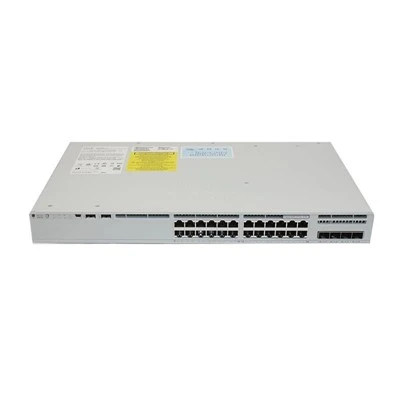
Product reference: hkaiti.com. Image illustrates equipment or material context, not a test result.
How PoE camera reboots differ from lost video
Infrared LEDs and optional accessories can change the camera's electrical load. The size and timing of that change depend on its design, configuration, and environmental conditions; not every camera draws more power in every night mode.
A recording gap alone does not establish a power failure. A camera may remain powered while its Ethernet link drops, its address changes, or the recorder stops accepting the stream. Verify uptime or a boot event alongside the missing video.
For Catalyst installations, Cisco's PoE troubleshooting documentation provides the platform-specific starting point. IEEE 802.3af, 802.3at, and 802.3bt describe different powering arrangements, so check the camera and exact switch port rather than relying on the word "PoE."
Technical references: Cisco: PoE troubleshooting; Cisco: Catalyst 9200 PoE configuration. Use the applicable project requirements and current product instructions.
Checks for PoE camera reboots at night
Compare the event with the power allocation
Record the switch model, installed power supply, available PoE budget, and per-port allocation. On supported Cisco platforms, read-only commands such as show power inline help establish the current state; available detail varies with software and hardware.
Capture the same information before and during the fault. If several cameras restart together, investigate shared power limits and the upstream supply. If one camera restarts repeatedly, focus first on its port, endpoint, and cable path.
Reproduce the load without waiting until evening
Use the camera's supported controls to enable its night function during a supervised test. Keep the recording stream, accessories, and network configuration consistent, and note the exact restart time.
Compare PoE camera reboots against switch power-denied messages, link-state changes, and camera boot logs. Do not raise a port's power allocation beyond the approved device and platform configuration just to make the symptom disappear.
Substitute the complete cable path
Connect the suspect camera through a short, known-good cable to a compatible port. A successful test makes the installed channel worth investigating, but does not by itself prove every other part is healthy.
Check patch leads, couplers, terminations, conductor damage, and the installed cable specification. Long or poor connections can worsen voltage delivery under load. A basic wire-map pass does not establish channel performance for the intended powering conditions.
Common mistakes when diagnosing PoE camera reboots
Replacing the switch before checking uptime. A recorder timeout can look like a restart. Confirm the endpoint actually booted before treating the event as a power incident.
Using average watts as the acceptance limit. A stable daytime average can hide a brief demand change. Preserve event-time observations and the camera's documented maximum requirement.
Moving several variables at once. Changing the port, cable, camera firmware, and night settings together removes the comparison. Change one item, repeat the test, and record what followed the fault.
Power interruption vs. video interruption
| Observation | Power-related lead | Network or recording lead |
|---|---|---|
| Camera uptime resets | Investigate delivery and device behavior | Network traffic alone rarely explains uptime reset |
| Switch link drops | May follow power removal | Also inspect physical link errors |
| Video stops but uptime continues | Check evidence before blaming PoE | Review stream, addressing, and recorder logs |
| Several cameras fail together | Check common supply and allocation | Check shared network and recorder dependencies |
The table is a diagnostic guide, not a list of confirmed causes. PoE camera reboots still require a controlled reproduction, particularly when a device's internal fault can trigger the same sequence as interrupted power.
Application scenarios and acceptance records
Consider a warehouse with outdoor cameras that work normally until their IR arrays activate. Start by testing one affected camera on the installed run, then on a known-good short run using an equivalent supported port. Preserve the same camera settings so the comparison answers a useful question.
For a replacement purchase, review the Catalyst C9200L-24P-4G PoE+ switch configuration against the required port power, total budget, and installed supply. The product family name alone does not establish that every configuration can power the proposed camera fleet.
Ask the installer to deliver a port map, camera maximum-load list, cable test records, event timestamps, and the final night-mode results. Include simultaneous night-mode operation in handover testing; checking cameras individually may miss a shared limit.
Build a night-mode evidence sheet
Use one row per affected endpoint and keep power evidence separate from recording evidence. This prevents a service team from recording "camera offline" as though it were a confirmed electrical restart.
| Record field | Why it matters |
|---|---|
| Camera identity and enabled accessories | Establishes which load configuration was tested |
| Port, PSU, and available allocation | Connects the endpoint to its actual power source |
| Camera uptime before and after the event | Distinguishes a reboot from a lost stream |
| Link and power messages at the same time | Helps reconstruct the order of events |
| Installed-run and short-cable comparison | Separates the channel from a shared endpoint condition |
Imagine that a camera restarts on its installed run but remains stable through a known-good short cable. That result makes the channel a stronger investigation lead, provided the powering port and device settings were otherwise comparable. It does not prove that changing every cable on the project is justified.
Now consider the opposite result: the camera restarts on both runs while other cameras remain stable. Preserve its boot evidence and confirm the documented power demand before assigning the failure to the whole switch. These are illustrative diagnostic branches, not reported customer outcomes.
Define the closing condition before the repair begins. The installer should reproduce the original night-mode workload, confirm continuous uptime and recording for the agreed observation period, and list the exact replaced or revised item. A repair note that says only "tested OK" does not preserve enough information for a later recurrence.
Frequently Asked Questions
Can insufficient power cause PoE camera reboots?
Yes, but a restart is not proof of insufficient PoE. Confirm the powering requirements, allocation, logs, and behavior on a known-good compatible connection before deciding that additional capacity is needed.
Why do only some cameras restart after dark?
Different cameras can have different loads, settings, cable paths, and connection quality. Group the affected devices by these factors rather than assuming that all installed cameras behave identically.
Will a PoE injector solve the problem?
A compatible injector can help isolate the source of the problem. It still needs the correct powering standard and capacity, and it will not repair a damaged installed cable channel.
Should I upgrade every port to PoE++?
Only if the actual endpoint requirements justify it. Higher advertised port capability does not correct an unsupported device, unsuitable cable installation, or a fault inside the camera.
What should I send the switch supplier?
Send the exact switch and PSU identifiers, software version, affected port numbers, event-time logs, camera specifications, and substitution results. This is more useful than a screenshot showing a normal daytime power reading.
How should the repair be verified?
Repeat the previously failing night-mode condition with the intended camera group operating. Confirm stable uptime and recording, then preserve the test conditions so another technician can reproduce the verification.
Conclusion
Investigate PoE camera reboots by separating power loss from video loss, reproducing the night load, and checking one variable at a time. If a switch change is justified, compare the documented requirements with the Catalyst C9200L-24P-4G PoE+ switch product configuration before approving the replacement.