



When an Ethernet connection keeps dropping at one desk, ask for the port, endpoint, time and installed cable path before buying a replacement switch. A repeatable failure at a single outlet gives the support team somewhere to start. A note that says "network drops" could describe a physical link going down, an address problem or an application that loses its session while the link remains up. The buyer should make sure the evidence distinguishes these cases.
For Catalyst copper link troubleshooting, get the exact switch SKU and software release, the wall outlet and patch-panel IDs, and a timeline from both the user and the authorized network team. AITI lists Cisco Catalyst switches, including C9300L and other families. Ask for a recommendation only after identifying whether the request concerns compatible spares, a planned location or help checking a suspected fault. Use Cisco's guidance for the installed product and release when reviewing interface diagnostics.
Match one event to one portGive support the exact desk, patch path, switch interface and time.
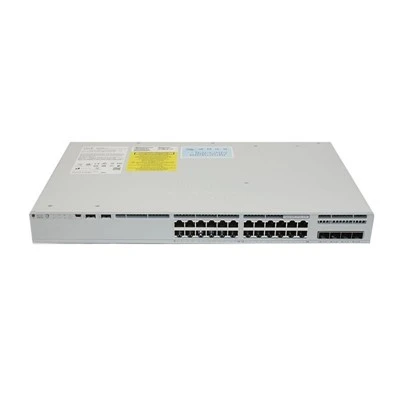
AITI Cisco switch catalog · AITI Catalyst C9300L-24P-4G listing
1Match the user's report to the actual switch port
Start at the desk. Give the user an easy way to record the outlet, device, time and what happened immediately before the interruption. A laptop may sit behind a dock. A phone and computer may share a path under the approved setup. If one moves to a different outlet during the day, preserve the original assignment as well as the new one. A desk number alone often cannot recover the actual equipment combination.
The network owner can use the approved drawings and asset records to confirm the port. Ask for the physical labels at the outlet, patch panel and switch, and have any discrepancy corrected in the record. If the same faceplate appears in two labeled locations, a timestamp or rack note can save a technician from examining the wrong device. Mark the cable sections the organization controls and name the party responsible for any installed path it does not manage.
Use one time convention so events can be compared. If the switch and support ticket use different time zones, record both and normalize them before drawing a conclusion. Ask whether the end device, switch or monitoring platform observed an actual loss of link. Make sure the evidence points to the affected port, not another port that flapped around the same time. Include a time window around the reported event where the applicable policy permits it.
2Give each symptom an owner and an evidence request
| Observation | Evidence to ask for | Who typically supplies it |
|---|---|---|
| Port state changed | Exact port, transition time and related approved status records | Network support |
| Link stayed up while work stopped | User-facing symptom, endpoint state and service timestamps | Endpoint and application support |
| Behavior changes when the desk setup changes | Dock, endpoint and approved configuration for each observation | Desk-side technician |
| Cable route or termination is uncertain | Outlet and patch identifiers, existing certification records and observations | Cabling contractor |
| Replacement is being considered | Exact SKU, software and intended role, plus current availability | Buyer and authorized technical owner |
Do not translate a single counter into a purchase decision. A technical team can compare authorized interface observations and relevant physical-layer evidence over the same interval, following the model documentation. Capture enough context to know whether a counter was already present before the user experienced the issue. A clean interval under a substitute setup can help narrow the scope, but it does not explain why the earlier path failed on its own.
In an illustrative case, a desk has a laptop, dock and a wall outlet. The company observes the fault twice while that setup is in use. The approved support team arranges a controlled comparison and records when the symptom follows a particular element or remains at the same location. The original and comparison records identify exactly what changed. This gives the cabling and endpoint teams a common starting point without declaring the switch faulty or recommending unauthorized changes.
Handle company data in the right channel
Keep private network details, credentials and diagnostic output in the authorized channels. A purchasing inquiry can state the switch model, relevant documented interface, observed fault scope and requested evidence while leaving confidential information with the owner's support staff.
3Compare known changes without interrupting another desk
Ask the responsible support lead what can be checked under the site's approved procedure. A changes register can help establish whether a new endpoint, patch, dock, switch release or seating move preceded the first report. An association is a useful lead. It still needs evidence from the intended setup before a cause is assigned. Ask the people who changed the equipment to identify which details can be recovered reliably.
When a comparison is authorized, decide what observation would be sufficient to distinguish which team owns the next step. If a condition appears only after a particular event, preserve the circumstances and expected outcome before asking someone to reproduce it. Do not keep swapping devices and deleting earlier records as the work progresses. The earlier report may be the only example showing the original combination.
A switch port and an application both can look unavailable to the person at the desk. Keep those results separate in the ticket. If the recorded port stayed active, ask the support owner which endpoint or service checks belong in the follow-up. If it fell and recovered under the relevant conditions, ask the networking and cabling owners how they will study the exact path. The buyer's part is to make sure the results fit the equipment being quoted.
4Buy a spare for an identified role
If the site already has an approved spares policy, check whether it covers the exact Catalyst product and intended desk service. Tell the seller the complete part number, destination, condition and applicable accessories. Confirm the precise port and software requirements with the network owner before requesting a substitute. A different switch family or suffix may not support the same features or uplink arrangement under the approved design.
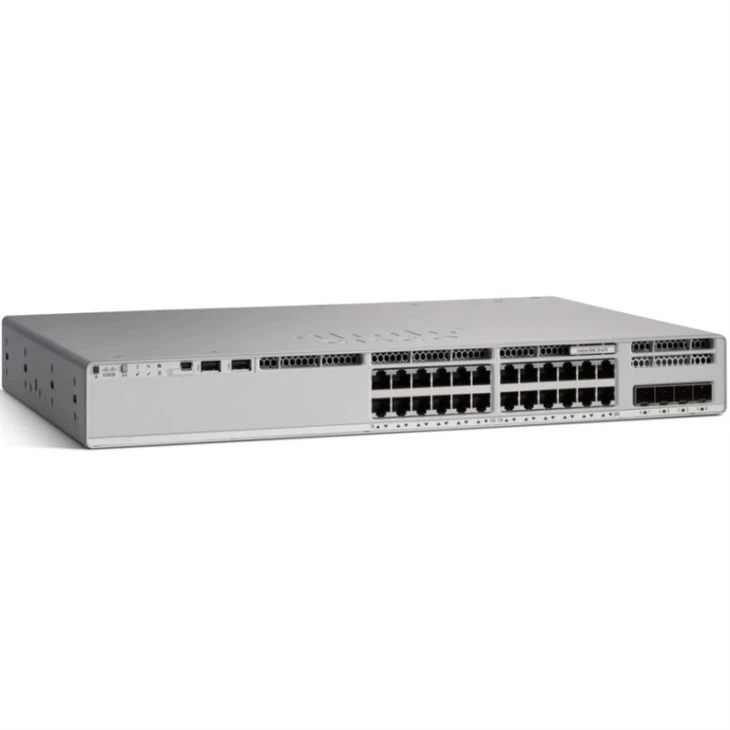
Use "Check current availability for C9300L-24P-4G," for example, if that exact unit appears in the approved plan. That phrase asks a direct commercial question and does not assume live stock. Ask what documentation and service terms come with the offer. If a smaller scope would be enough, make explicit the quantity or accessory being evaluated rather than asking for a vague duplicate of the existing cabinet.
Close the desk report with evidence someone can find
Tell the user which symptom is resolved and identify any remaining condition that should trigger a new ticket. Preserve which desk, time, endpoint and switch record establish that result. If an ordered component is held in reserve because the original link was repaired through another approved action, update the spares record to show where it belongs. That prevents a later buyer from treating a planned replacement as evidence of a failed unit.
When several complaints involve nearby desks, group them only after checking whether they share a link path, time window or identifiable equipment. Two adjoining endpoints can terminate on different equipment or have a different service dependency. Ask each owner to give the evidence that applies to their own scope. A batch of repeat tickets then becomes a traceable queue instead of a single request for a shelf of replacement switches. Invite the responsible technician to review the report before the next equipment order and confirm whether one cabling contractor, service owner or procurement contact should remain accountable for its next action.
5Ask how the report affects the next purchase order
Purchasing should distinguish a requested loan unit, a stock reservation and a replacement order. Confirm exactly what each supplier is being asked to provide and who can cancel or release the request. If service staff can continue investigating without a replacement, say so in the request. If the network owner confirms that an exact spare is needed regardless of the outcome, use a separate line and keep it tied to the local equipment plan. That avoids a hurried purchase under an incorrect fault diagnosis.
A useful closed ticket can include an accepted location update. Suppose the outlet on the drawing was marked as a different number from the faceplate at the installed desk. Under the organization's process, record the corrected mapping and preserve the earlier note with its dated context. When a buyer returns to the file after another seating move, they can tell which connection the earlier report actually covered.
Questions for the desk-side handoff
What is the minimum useful evidence from the user?
Ask for desk and outlet identity, observed time, device or dock and the actual visible symptom. Where possible confirm whether other devices were affected. The support team can then compare the report with its authorized records.
Does a user saying "offline" prove the Ethernet link dropped?
No. Match the user report with the observed interface state and other relevant evidence. If the link stayed up, route the next checks to the appropriate endpoint or service owner.
Should I request a cable test?
Ask the technical owner which approved method suits the installed link and what the result would show. Preserve the wall outlet, patch position, link segments and applicable test identity with the report.
Can one switch model replace another in this situation?
Have the network owner compare the exact approved role, interfaces, features and software. Quote a separate alternative only when its scope and technical assessment are clear.
What should I send if the fault happens outside office hours?
Use consistent timestamps and the exact identifiers, and preserve what happened just before recovery. Ask who can collect approved evidence when regular staff are absent.
Does a product listing establish stock availability?
Request a dated response for the full SKU, quantity, condition and destination. Keep availability and technical suitability as separate checks in the order.
Ask about the exact Catalyst spare
Share the approved model and planned role with AITI, and request written availability and commercial scope for the specific product. Route private diagnostic material through your organization's approved support channel.


