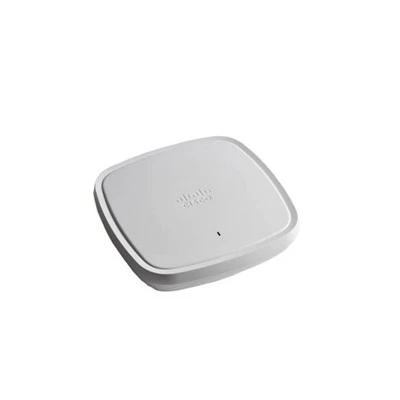



Do wireless APs support roaming?
Hey there! As a supplier of wireless APs, I get this question a lot: "Do wireless APs support roaming?" Well, the short answer is yes, but there's a lot more to it than that. Let's dive in and explore how wireless AP roaming works, the benefits, and which of our products are top - notch for seamless roaming.
How Wireless AP Roaming Works
Roaming in the context of wireless APs is all about allowing devices to move from one access point's coverage area to another without losing their network connection. When a device, like your smartphone or laptop, is connected to a wireless network, it's constantly monitoring the signal strength of the access point it's connected to. As you move around, the signal from your current AP might start to weaken.
At this point, the device looks for other APs with a stronger signal. Once it finds a better - suited AP, it goes through a process called "handover." This handover involves the device disconnecting from the old AP and connecting to the new one. The goal is to make this transition as smooth as possible, so you don't experience any interruptions in your internet usage, like dropped calls or buffering videos.
Benefits of Roaming
The main benefit of roaming is obvious - it provides continuous connectivity. Imagine you're in a large office building, walking from one meeting room to another. With roaming support, you can keep using your device without having to manually connect to a new network every time you move. This is not only convenient for users but also essential for businesses that rely on a stable wireless network to operate.
Roaming also helps in optimizing network usage. Devices can connect to the AP with the best signal, which means better performance and less congestion on the network. This results in faster speeds and a more reliable connection for everyone using the wireless network.
Our Wireless APs and Roaming
We offer a range of wireless APs that are designed to support seamless roaming. Let's take a look at some of our popular models:


- C9124AXE - ROW: This AP is a beast when it comes to roaming. It uses advanced technologies to ensure that devices can move between its coverage area and other APs smoothly. You can check out more details about it here. It has a wide coverage area and high - speed connectivity, making it ideal for large - scale deployments like corporate offices or shopping malls.
- C9105AXI: The C9105AXI is a great option for smaller spaces. It still offers excellent roaming capabilities, ensuring that devices within its range can move around without any connectivity issues. You can find more information about this model here. It's easy to install and manage, making it a popular choice for small businesses and home offices.
- C9124AXI - ROW: Similar to the C9124AXE - ROW, but with some different features tailored to specific needs. It also provides seamless roaming and high - quality wireless connectivity. Check it out here. It's a reliable option for medium - sized businesses that need a balance between performance and cost.
- C9115AXE: This AP is designed for high - density environments. It can handle a large number of devices simultaneously and still offer great roaming support. You can learn more about the C9115AXE here. Whether it's a busy coffee shop or a conference center, this AP can keep everyone connected.
- C9130AXE: The C9130AXE is our top - of - the - line model. It has the latest technologies to provide the best possible roaming experience. You can find out more about it here. It's perfect for large enterprises and high - end venues that require the highest level of performance.
Factors Affecting Roaming
While our wireless APs are designed to support roaming, there are some factors that can affect how well it works. One of the main factors is the physical environment. For example, thick walls or metal objects can block the wireless signal, making it harder for devices to connect to different APs.
The number of devices on the network also plays a role. If there are too many devices trying to connect to the same AP, it can cause congestion and affect the roaming process. Additionally, the configuration of the APs, such as the channel settings and security protocols, can impact roaming. That's why it's important to have a proper network design and configuration to ensure optimal roaming performance.
Tips for Optimal Roaming
If you're planning to set up a wireless network with roaming support, here are some tips:
- Proper Placement: Make sure to place the APs in strategic locations to ensure good coverage and overlap. This way, devices can easily move from one AP to another.
- Channel Planning: Use different channels for adjacent APs to reduce interference. This will improve the signal quality and make the roaming process smoother.
- Firmware Updates: Keep the APs' firmware up - to - date. Manufacturers often release updates that improve roaming performance and fix any bugs.
Contact Us for Roaming Solutions
If you're looking for a wireless AP solution that supports seamless roaming, we're here to help. Our team of experts can assist you in choosing the right APs for your specific needs, whether it's a small office or a large - scale enterprise. We can also provide installation and configuration services to ensure that your network works perfectly.
Don't hesitate to reach out to us if you have any questions or want to discuss your wireless network requirements. We're committed to providing you with the best products and services to keep your devices connected wherever you go.
References
- Wireless Networking Basics: A Comprehensive Guide.
- Cisco Wireless AP Documentation.