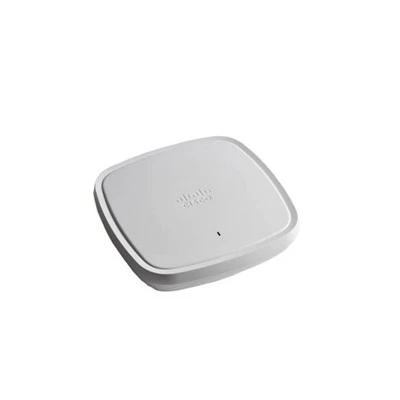



In modern warehouses, the use of wireless access points (APs) has become a cornerstone for ensuring seamless operations. As a dedicated wireless APs supplier, I've witnessed firsthand the transformative impact of these devices on warehouse management. However, the process of selecting and deploying wireless APs in a warehouse environment is not without its intricacies. In this blog, I'll delve into the key considerations that should guide your decision-making when integrating wireless APs into your warehouse.
Coverage Area
One of the primary considerations when using wireless APs in a warehouse is the coverage area. Warehouses can vary greatly in size, from small, local storage facilities to vast distribution centers spanning several acres. Therefore, it's crucial to accurately assess the space that needs to be covered.
Larger warehouses typically require multiple APs to ensure comprehensive coverage. This involves not only accounting for the square footage but also the layout of the warehouse. For instance, the presence of large storage racks, machinery, or partition walls can obstruct the wireless signal, creating dead zones. To mitigate this, APs should be strategically placed to minimize signal interference and ensure that every corner of the warehouse has a reliable connection.
Our company offers a range of wireless APs suitable for different coverage requirements. For example, the C9130AXE is designed to provide high - performance, wide - area coverage, making it an ideal choice for large warehouses.
Bandwidth Requirements
In a warehouse setting, numerous devices rely on the wireless network to function efficiently. This can include barcode scanners, inventory management tablets, automated guided vehicles (AGVs), and security cameras. Each of these devices has its own bandwidth requirements, and it's essential to understand the aggregate demand.
High - traffic areas, such as loading docks and picking zones, may require more bandwidth to support the simultaneous use of multiple devices. If the network is unable to provide sufficient bandwidth, it can lead to slow data transfer speeds, dropped connections, and ultimately, a decrease in productivity.
When choosing wireless APs, look for models that support high - speed Wi - Fi standards, such as Wi - Fi 6 or Wi - Fi 6E. Our C9120AXI is a Wi - Fi 6 - enabled AP that offers enhanced bandwidth capabilities, ensuring smooth operation of all connected devices in your warehouse.
Interference and Channel Planning
Wireless signals can be easily disrupted by various sources of interference, both within and outside the warehouse. Common sources of interference include other wireless networks operating in the same frequency range, microwave ovens, and even large metal objects.
To minimize interference, proper channel planning is essential. Wireless APs operate on different channels, and by carefully selecting non - overlapping channels, you can reduce signal congestion and improve network performance. Additionally, some APs are equipped with advanced features such as dynamic channel selection, which automatically adjusts the channel based on the surrounding wireless environment.
Our C9115AXI incorporates intelligent channel selection technology, optimizing the signal strength and minimizing the impact of interference for a more stable wireless connection.
Mobility and Roaming
In a warehouse, employees and equipment are constantly on the move. Whether it's a worker using a handheld device to pick items from different aisles or an AGV navigating through the facility, seamless mobility is crucial.
Wireless APs need to support fast and reliable roaming capabilities. When a device moves from the coverage area of one AP to another, it should be able to transition smoothly without experiencing significant delays or dropped connections. This requires proper configuration of the APs and the use of technologies such as 802.11r (Fast BSS Transition) and 802.11k/v (Neighbor Report and Radio Resource Management).
Our C9105AXW is designed with advanced roaming features, ensuring that your mobile devices can move freely throughout the warehouse without any disruption in the wireless connection.
Power and Deployment
The power source for wireless APs is another important consideration. In a warehouse, running Ethernet cables to each AP location may be challenging or costly, especially in large facilities. Power over Ethernet (PoE) technology offers a convenient solution, allowing both data and power to be transmitted over a single Ethernet cable.
However, not all APs support PoE, and the power requirements can vary. Some APs may require higher - wattage PoE switches to operate correctly. It's important to assess your warehouse's power infrastructure and choose APs that are compatible with your existing or planned power setup.
In addition to power, the physical deployment of APs is also critical. APs should be installed in locations that are easily accessible for maintenance and troubleshooting, while also being protected from potential damage. For example, in a warehouse with heavy machinery, APs should be mounted in a secure location away from moving parts.
Our C9124AXI - ROW is designed to support PoE, making it easier to deploy in your warehouse without the need for additional power sources.
Security
Warehouses often handle sensitive data, including inventory information, customer details, and financial records. Therefore, security is of utmost importance when using wireless APs.
Wireless networks are vulnerable to various security threats, such as unauthorized access, data interception, and denial - of - service attacks. To protect your warehouse's network, it's essential to implement strong security measures, such as WPA3 encryption, access control lists, and regular security audits.
Many of our wireless APs come with built - in security features, including advanced encryption algorithms and intrusion detection systems. These features help safeguard your network from potential threats and ensure the confidentiality and integrity of your data.
Scalability
As your warehouse grows and your business expands, your wireless network needs to be able to scale accordingly. This means that the APs you choose should be easily expandable and compatible with future upgrades.
Look for APs that support a modular architecture, allowing you to add or replace components as needed. Additionally, choose a wireless network solution that can integrate with other technologies, such as cloud - based management systems or Internet of Things (IoT) devices.
Cost - Effectiveness
Finally, cost is always a consideration in any business decision. When evaluating wireless APs for your warehouse, it's important to consider not only the upfront purchase cost but also the long - term operating costs.
This includes factors such as power consumption, maintenance, and the need for future upgrades. While it may be tempting to choose the cheapest option, it's often more cost - effective in the long run to invest in high - quality APs that offer reliable performance and scalability.
In conclusion, using wireless APs in a warehouse requires careful planning and consideration. By taking into account factors such as coverage area, bandwidth requirements, interference, mobility, power, security, scalability, and cost - effectiveness, you can select the right wireless APs for your specific needs. As a wireless APs supplier, we are committed to helping you find the best solutions for your warehouse. If you are interested in learning more about our wireless APs or would like to discuss your specific requirements, we invite you to reach out for procurement and negotiation.


References
- Cisco Meraki Wireless Deployment Best Practices.
- Wi - Fi Alliance Standards and Technologies Documentation.
- Industry reports on warehouse technology and wireless networking.